QR Code Digital Menu

QR Code Digital Menu & Ordering Built for Faster Table Turnover

Guests scan, browse your live menu with photos, and order from their phone — at the table, in the hotel room, or at the counter. You manage menus from the owner app while tickets land in the same POS queue.

  • No app download for guests — scan with the phone camera and order in the browser
  • Live menu with photos — update prices at lunch, live by dinner from mobile or Web
  • WhatsApp GST PDF bills after online pay — less chasing receipts at the table
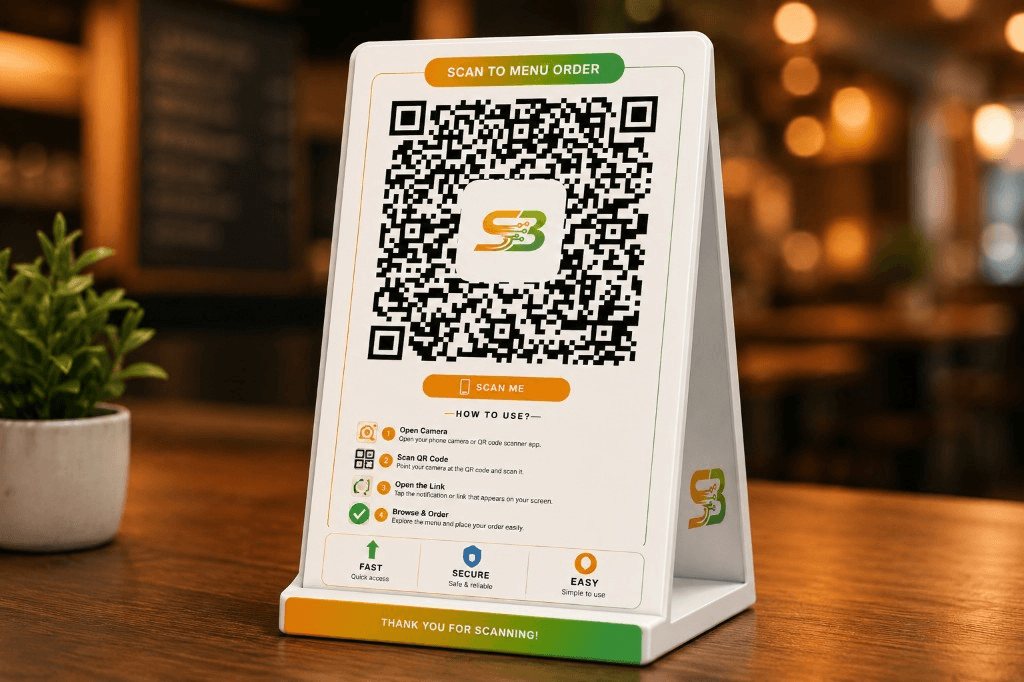
Swaad Byte QR table tent stand with scan-to-order instructions on a restaurant table
Scan & OrderNo app download for guests

Why printed menus and manual order-taking slow down dine-in revenue

Paper menus go out of date the moment you change a price. Waiters repeat the same questions, guests wait to flag someone down, and kitchen tickets arrive late or wrong — especially when every table is full. When QR ordering, counter billing, and daily sales live in different tools, owners cannot tell if table service is actually faster.

Swad POS gives every table, room, or branch a QR that opens your live digital menu in seconds. Guests order at their pace, tickets hit your live order board with table or room details attached, and you update menus from Android, iOS, or Web without reprinting a single card.

Complete QR menu and table ordering in one system

From QR generation to guest checkout — live menus, table ordering, room service, and owner control without bolting on a separate ordering app.

  • Table QR ordering for dine-in guests

    Generate a QR per table. Guests scan, browse categories with photos and prices, and place orders from their phone — tickets arrive in your owner app with the table number attached.

  • In-room QR menus for hotels & lodges

    Create room-specific QR codes so hotel guests order in-room. Same live menu and payment flow as restaurant tables — kitchen sees room details on every ticket.

  • Branch QR for browse-only or counter pickup

    One QR for the whole outlet lets takeaway guests view the full menu before ordering at the counter — or order and pay fully from their phone.

  • Live menu with photos, variants & GST

    Publish one catalogue for QR guests and staff billing. Mark sold-out items in seconds, add combos and modifiers, and keep tax lines consistent everywhere.

  • Online pay with WhatsApp PDF bills

    Guests who pay online receive a branded GST-ready bill on WhatsApp automatically — stewards spend less time at settlement and guests leave with proof in their pocket.

  • Same POS queue as counter billing

    QR orders and phone billing feed one live order board. Kitchen, counter, and owners see the same ticket status — no duplicate systems or manual re-entry.

Guest-Ready QR Flow

Three ways guests use your QR — one menu you control

Scan to view — no app install

Guests point their camera at the QR and your catalogue opens in the mobile browser with photos, variants, and live prices — no Play Store, no login friction.

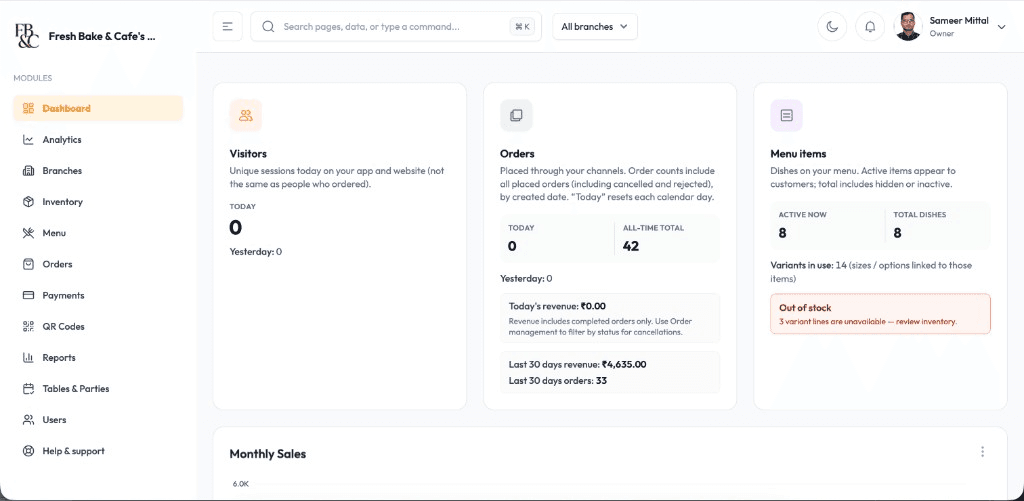
Swad POS web dashboard showing visitors, orders, menu items, and revenue overview

Table and room context on every order

Each table or room QR routes orders with the right location attached so stewards and kitchen know exactly where to serve — fewer wrong-table mistakes during rush.

Swad POS web dashboard showing visitors, orders, menu items, and revenue overview

WhatsApp bill the moment they pay

Online checkout triggers a branded GST PDF on the guest's WhatsApp — your team does not print, type, or chase paper receipts at settlement.

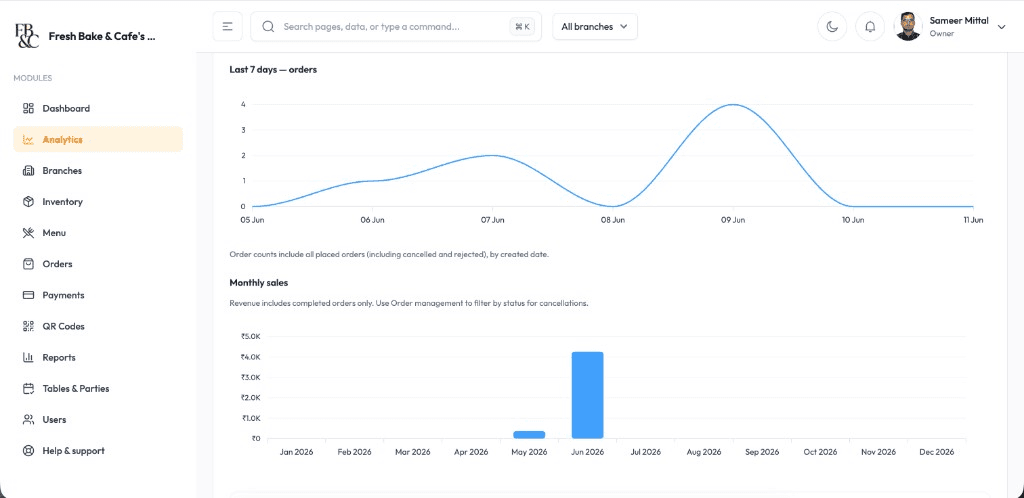
Swad POS web analytics showing last 7 days orders chart and monthly sales report

Table service, hotel rooms, and takeaway counters all need a menu guests trust. Swad POS keeps the experience fast for guests and clear for your floor team.

Explore Our Plans

See your table QR and live menu on a real outlet

Start free onboarding in 5 minutes — no documents needed — or book a demo to see scan-to-order flow, WhatsApp bills, and owner menu control live.

Built for every dine-in format that serves at the table

Whether you run a neighbourhood restaurant, a hotel dining room, or a busy takeaway counter, Swad POS QR menus fit how guests already use their phones.

  • Dine-in restaurants that want faster ordering, cleaner table turnover, and fewer order mistakes during peak hours

  • Hotels and lodges offering in-room QR food ordering alongside restaurant floor service

  • Operators who update menus often — prices, combos, sold-out items, and promotions without reprinting cards

Why restaurants choose Swad POS for QR menus

Teams pick Swad POS when guests expect a modern scan-to-order experience — but owners still need one app for billing, kitchen, and reports.

  • Guest-friendly flow that feels natural

    Camera scan, mobile browser menu, order, and pay — no app download barrier. Stewards stay available for hospitality while guests order at their pace.

  • One live menu for QR and staff billing

    Update a dish price once — it is live on every table QR and every steward phone. No version drift between printed cards and the POS.

  • QR rollout support around your service hours

    We help generate table and room QR codes, import your menu with photos, and train floor staff — with 24/7 support after guests start scanning.

How restaurants go live with QR table ordering

Most outlets publish their first table QR within days — we handle menu setup and QR generation so your team focuses on guest service, not configuration.

  1. Sign up in 5 minutes

    Create your business account on Android or iOS — no documents, no paperwork. Add your outlet and start building your digital menu with photos and GST.

  2. Generate table, room & branch QR codes

    We configure tables, rooms, or branch QR from mobile or Web, import your menu, and set taxes and online payment modes before you print tent cards.

  3. Train floor staff on guest guidance

    Stewards learn how to help guests scan, handle exceptions, and read QR orders on the live board alongside counter billing on their phones.

  4. Go live with ongoing support

    Launch during a controlled service window with 24/7 technical support. Review first-week QR adoption and order accuracy, then refine menu presentation.

Self-serve signup takes about 5 minutes with no documents required. Prefer guided QR rollout? Book a free demo anytime.

Guests on mobile browser — owners on Android, iOS, and Web

Guests never install an app. Your team controls the live menu and reads every QR order from the devices they already carry.

  • Guest mobile browser — scan and order

    Guests open your menu in their phone browser after scanning the QR — browse photos, add items, and pay online without downloading Swad POS.

  • Owner app on Android

    Generate QR codes, update menus, mark sold-out items, and watch live QR orders from the Android owner app — at the counter or between visits.

  • Web dashboard for menu & QR management

    Bulk-edit categories, upload photos, configure tables and rooms, and export order reports from a desktop browser when you need a bigger screen.

QR Setup Support

Seamless QR menu rollout & ongoing support

From first table tent to first guest order, our team helps you publish a menu guests trust — with 24/7 technical support when service is live.

QR code generation & print-ready files

Create table, room, and branch QR codes from mobile or Web — download print-ready assets for tent cards and room inserts.

Menu migration with photos & GST

Import categories, variants, taxes, and item photos from spreadsheets or legacy menus without rebuilding everything manually.

Payment & WhatsApp bill configuration

Set up online pay and branded GST WhatsApp bills so guests complete checkout on their phone and leave with proof automatically.

Floor staff training & handoff

On-site and virtual training for stewards on guest scan guidance, exception handling, and reading QR orders on the live board.

These links connect product pages, guides, and resources so you can move from reading to the right next step.

Ready to make dine-in ordering faster and more accurate?

Create your account in 5 minutes with zero paperwork, publish your QR menu, and start taking table orders — or book a demo for a guided walkthrough.

QR Code Digital Menu & Table Ordering for Restaurants | Swad POS