Slow billing hurts more than you think—tables turn late, staff get stressed, and small mistakes add up by closing time. This guide walks through what a good restaurant POS actually does on a busy shift, in plain language.
If you still rely on handwritten KOTs or a old desktop that freezes at dinner rush, start here. You will see what to fix first, what to ask vendors, and how teams in India run faster billing on one phone.
When billing slows down, the impact is immediate: longer queues, delayed table availability, and frustrated guests. Faster checkout gives your team more control during busy periods and allows you to serve more customers in the same shift without compromising service quality.
How POS improves order accuracy
A strong POS flow captures item names, variants, add-ons, and quantities with clarity. That clarity reduces miscommunication between floor and kitchen teams, lowers remake rates, and improves consistency across dine-in, takeaway, and delivery orders.
What to look for in a POS system for your business
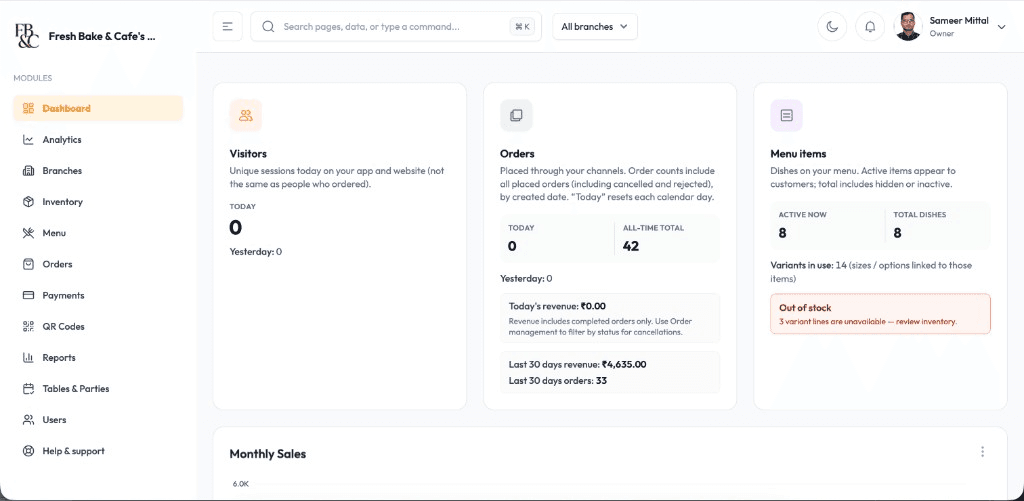
Look for features that support day-to-day execution: quick menu edits, integrated payments, user roles, tax-ready billing, and live sales visibility. These capabilities make operations predictable today and prepare your business for expansion tomorrow.
Keep staff training simple with an intuitive POS flow
A clean interface reduces onboarding time for new cashiers and service teams. When day-to-day actions are easy to learn, your outlet can maintain billing speed and accuracy even during shift changes or peak-hour pressure.
What owners check after the first week
Look at bills per hour, cancelled items, and payment mix—not vanity charts. A useful POS shows which dishes slow the kitchen and which shifts need one more cashier. That is when you know the system is earning its keep.
Start with the product pages that match this guide
Book a free demo with your menu, or start setup and try billing, stock, or QR ordering on your own tables.
Key takeaways
Faster billing frees tables and calms the floor during rush.
Digital KOTs cut wrong dishes and awkward kitchen arguments.
Live sales help you fix tomorrow’s prep, not guess from memory.
Quick checklist for your outlet
1List your rush hours and count how many bills happen in that window.
2Note where errors happen—counter, kitchen, or payments.
3Check if staff can add a table order in under 30 seconds.
4Confirm UPI, card, and cash can close in one bill flow.
Questions owners ask us
Answers we hear often from cafe and restaurant owners evaluating billing, stock, or QR ordering.
It helps your team process orders and bills faster, which means less waiting and more tables served during peak hours. Better speed and accuracy usually lead to stronger daily revenue.
Yes. Even small cafes benefit from faster checkout, cleaner billing records, and easier menu updates. A good POS is useful from day one and scales as you grow.
Most modern systems support UPI, cards, and cash in one billing flow. This gives customers flexible payment options while helping staff reconcile collections quickly.
Yes. Most modern POS platforms provide outlet-wise visibility for billing, sales, and performance so owners can monitor multiple locations from a centralized dashboard.
Schedule a Free Demo for Your Restaurant
Share your name and WhatsApp number. We will show weekend-rush ordering, cancellations, and direct-order billing on a sample menu.
Built for every food business format
Whether you run a cafe, bakery, cloud kitchen, fine-dine outlet, food truck, hotel, or dhaba, these workflows are designed to improve speed, control, and guest experience.