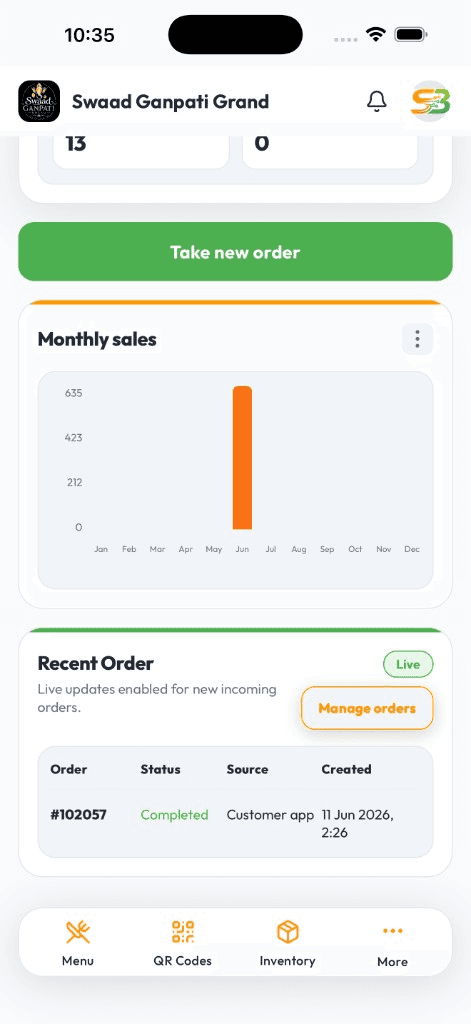
Take table orders, print kitchen tickets, close takeaway bills, and keep stock in step with what you actually sold — from the phone your staff already use.
Staff can learn table and counter billing in a shift — not a week of training
Dine-in, takeaway, and packed orders on one kitchen board
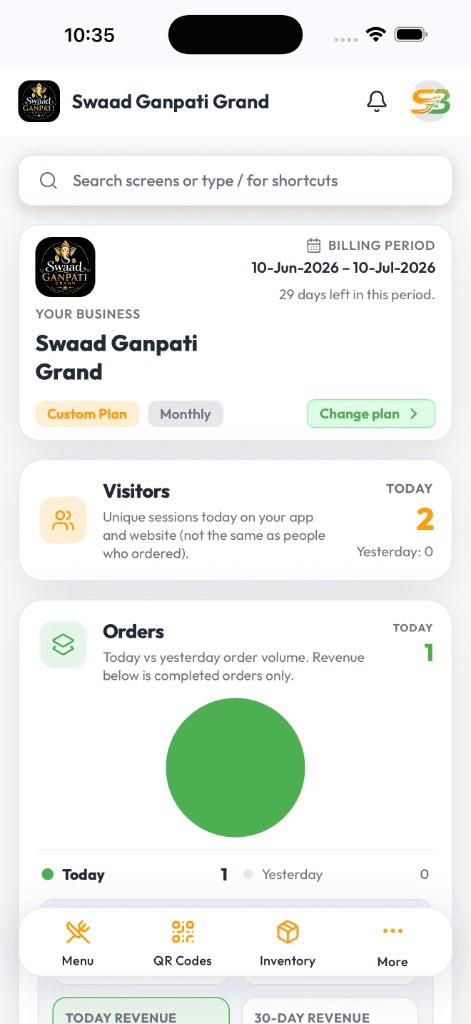
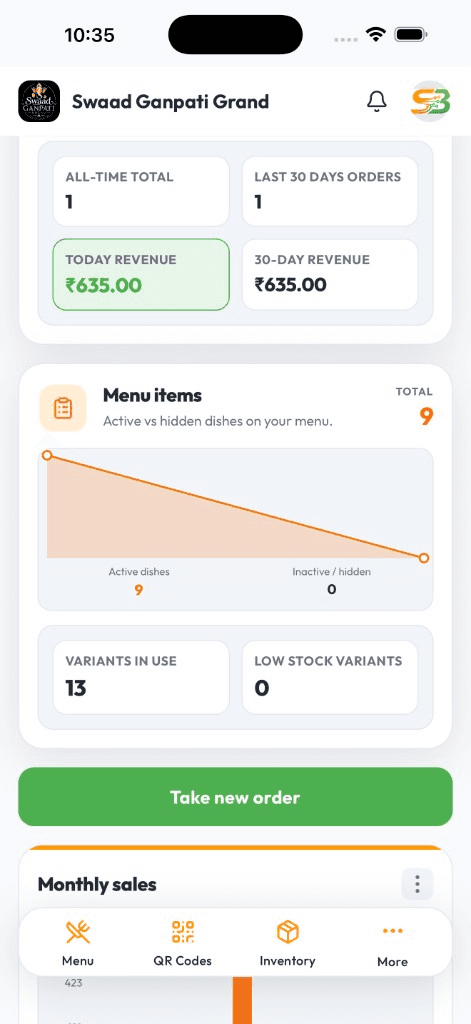
Check today's sales from your phone when you are not at the outlet
Live DashboardAvailable on Android & iOS
Billing machines take money. They do not run the floor.
If the counter bills on one device, kitchen shouts from a paper KOT, takeaway lives in a notebook, and you only see sales after close — you are already losing tickets in the rush. Staff slow down because they are switching tools, not because they cannot cook.
SwaadByte puts table orders, takeaway, delivery, kitchen tickets, and stock on the same phone app. You bill faster during rush, kitchen sees the same ticket you printed, and you can check the till from home without calling the captain.
What your team actually does on SwaadByte
Built around a restaurant shift — not a feature list. Counter, floor, kitchen, and owner each get the piece they need without a second system.
Table billing and split bills
Open a table, add items with variants, split the bill, and close with cash, UPI, or card. Stewards bill from Android or iPhone on the floor — no walk back to a counter terminal.
Kitchen tickets that match the bill
Send KOT as soon as the order is placed. Pair a Bluetooth kitchen printer or keep tickets on the live board so prep is not waiting on a runner.
Takeaway and packed orders
Counter pickup and packed tickets sit next to dine-in on the same board. Fast repeat items for the lunch queue without a separate takeaway app.
Delivery tickets in the same queue
Packed and delivery orders share the kitchen board with table tickets, so the line is not flipping between screens when riders show up.
Stock that follows the bill
Sold-out items and stock levels update as orders go through. Kitchen and billing see the same availability — fewer 86'd dishes after you already took the order.
Owner view from anywhere
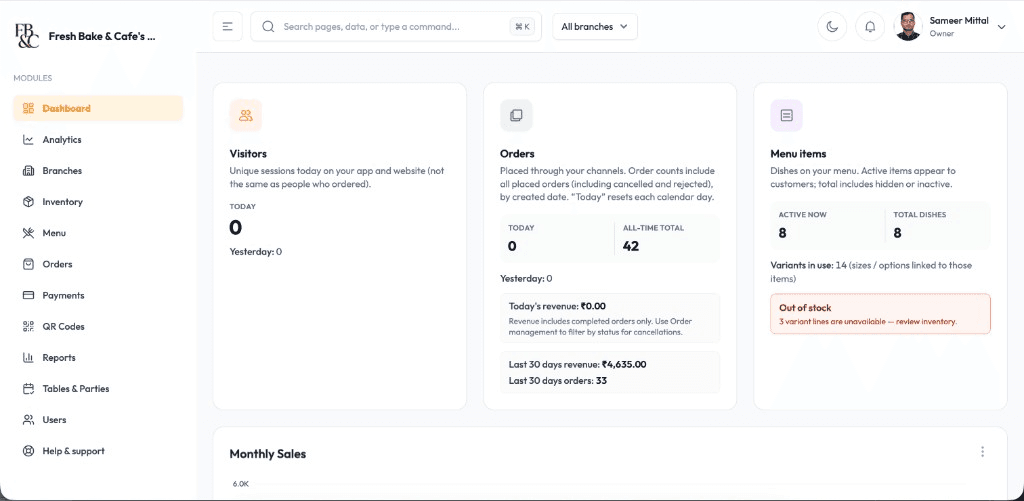
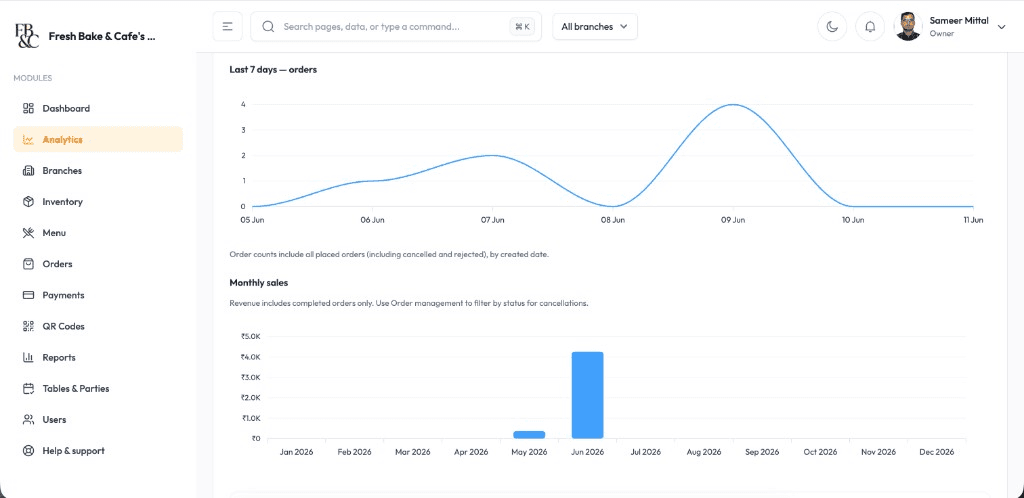
Today's sales, payment mix, and busy hours on your phone. Optional Web dashboard when you want a bigger screen or an export for your accountant.
Billing, Orders & Reports
The same system for the floor, the kitchen, and the owner
Live sales you can open between services
See today's bills, payment mix, and busy hours on Android, iPhone, or Web — without waiting for someone to WhatsApp a closing total.
Menu items that actually moved
Spot what sold, what sat, and what you should prep less of tomorrow. Useful before the next rush, not after month-end.
Rush hours you can staff against
Hourly order patterns show when the floor actually gets slammed — so you stop guessing the Saturday roster.
A bill is only useful if kitchen, counter, and the owner see the same ticket. SwaadByte keeps table orders, takeaway, delivery, stock, and daily numbers in one login.
No credit card. Add a few dishes, take a test table, and see if your staff can work it during a real rush.
Built for how restaurants actually take orders
If your night looks like tables, parcels, and a captain asking what sold — this is the POS for that floor, not a generic retail till.
Independent dine-in restaurants that need table billing, kitchen tickets, and a closing number they can trust
Takeaway-heavy kitchens that need fast counter billing without losing packed tickets in the rush
Owners who leave the floor and still want today's sales on their phone
Why restaurant owners try SwaadByte
You do not need another dashboard. You need billing your staff will actually use, and numbers you can open after you leave the outlet.
Staff can bill without a dedicated POS machine
Android and iPhone apps for the floor. No counter terminal purchase required. New stewards pick it up during a live shift, not a classroom week.
One queue for every order type
Tables, takeaway, and packed orders hit the same kitchen board. Less shouting, fewer missed tickets when the dining room and parcel counter peak together.
Try it on your own menu first
15-day free trial, no credit card. Add your dishes, run a few real tickets, and decide after service — not after a sales call.
How restaurants start billing on SwaadByte
Most owners add a menu and print the first tickets in one sitting. If you want help with printers and staff, we walk through it on a call.
1
Create your account
Sign up with email or WhatsApp OTP on Android or iPhone. Your owner app is ready without paperwork.
2
Add menu, taxes, and printers
Build categories and items, set GST, and pair Bluetooth KOT or receipt printers before you take a live table.
3
Practice on a real shift
Stewards take a few table and takeaway tickets. Kitchen confirms KOT. You check the live board from your phone.
4
Go live, then review the first week
Run service on the trial. WhatsApp support is available if a printer drops or a payment mode needs a tweak.
Sign-up takes a few minutes. No documents. No credit card. Prefer a walkthrough first? Book a live demo.
Android, iPhone, and Web — same login
Staff bill where service happens. You check numbers where you happen to be. Menu and tickets stay in sync.
Android for floor and counter
Fast cart billing, Bluetooth KOT, and live shift totals on the phones most restaurant staff already carry.
iPhone for owners on the move
Open today's sales, mark an item sold out, or check a payment — from home, another outlet, or the car.
Web when you need a bigger screen
Edit a large menu, compare days, and export a file for your accountant from a desktop browser.
Setup & Support
We help you go live — then stay reachable
Menu import, printer pairing, and staff walkthroughs around your service hours. WhatsApp support when something breaks mid-shift — not a ticket that waits until Monday.
24/7 Technical Setup
Dedicated engineers configure Android, iOS, and Web access with remote troubleshooting around the clock.
Menu Database Migration
Import categories, variants, taxes, and modifiers from spreadsheets or legacy POS exports without manual re-entry.
Printer & Hardware Syncing
Pair Bluetooth KOT printers, receipt printers, and counter hardware with tested workflows before service starts.
Staff Training & Handoff
On-site and virtual training for billing, kitchen tickets, and restaurant reports so every shift runs the same playbook.
Restaurant POS FAQs
Straight answers owners ask before they try a billing app — dine-in, takeaway, delivery, mobile access, and the free trial.
It is the system your staff use to take orders, send kitchen tickets, and close bills. SwaadByte also keeps stock and daily sales in the same app, so you are not reconciling three tools after close.
Yes. Table orders with kitchen tickets for dine-in, and fast cart billing for takeaway and counter pickup — same menu, same tax settings, same login.
Yes. Packed and delivery tickets sit on the same live order board as dine-in and takeaway, so kitchen is not watching a second screen during dinner rush.
Yes. Owners and staff run billing, kitchen tickets, and daily sales on Android and iPhone. The Web dashboard is optional for larger menus and exports.
Yes. Stock updates when orders go through the app, and you can mark items sold out so billing does not sell what kitchen cannot plate. For a deeper look at stock, see the inventory page.
Yes. A 15-day free trial with no credit card. Sign up, add your menu, and run real tickets before you pick a plan.
Schedule a Free Demo for Your Restaurant
Share your name and WhatsApp number. We will show weekend-rush ordering, cancellations, and direct-order billing on a sample menu.
If this is close, these pages go deeper
Billing is the start. These pages cover the next problems restaurant owners usually hit.
If you keep selling dishes that kitchen already 86'd, you need stock that follows the bill — not a separate spreadsheet.
Comparing restaurant POS platforms? See how SwaadByte compares with Petpooja and other restaurant billing systems owners already have on their shortlist.
SwaadByte vs Petpooja
Compare billing, orders, QR menu, inventory, multi-outlet management, pricing and setup — then decide which platform matches how you actually run the restaurant. This is not a “winner” page. It is a fit check.
Owners still search “Posist.” The product line continues as Restroworks. This page compares a mobile-first self-serve POS with an enterprise restaurant platform that prices after a scoping call.
GoFrugal sells billing plus production, recipes, accounts, and aggregator control. SwaadByte sells a mobile restaurant OS you can try in 15 days. The useful question is whether you need ERP depth this year.