Restaurant Reports You Can Read Before the Next Service
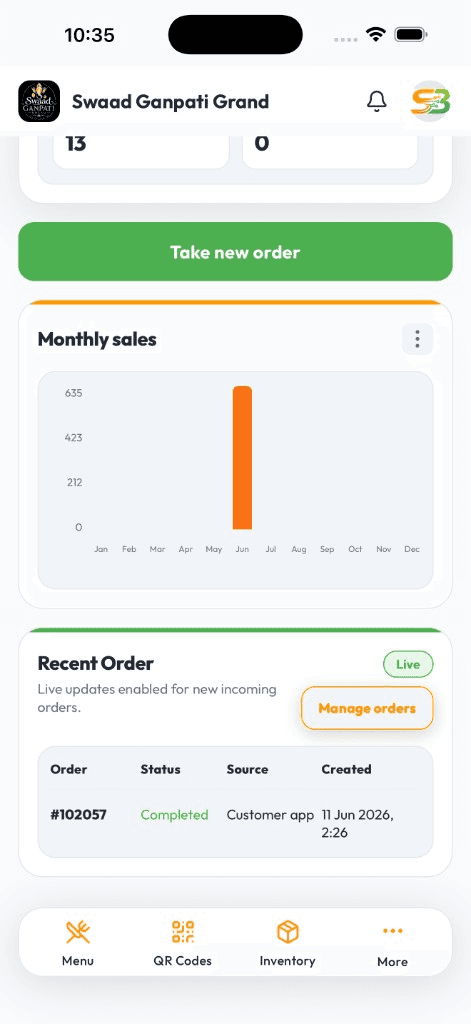
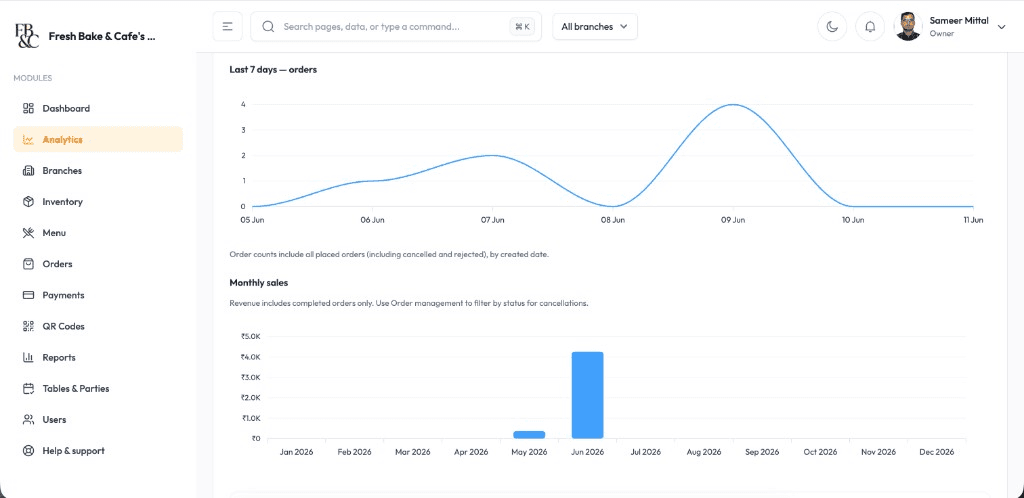
Open the app between lunch and dinner: visitors, orders, what sold, which hours slammed you. Export a file when your CA asks — you should not be typing from a register.
Today's bills and payment mix on the phone — not a closing WhatsApp from the captain
Dishes that moved vs dishes that sat, without a spreadsheet merge
Branch comparison if you have more than one door
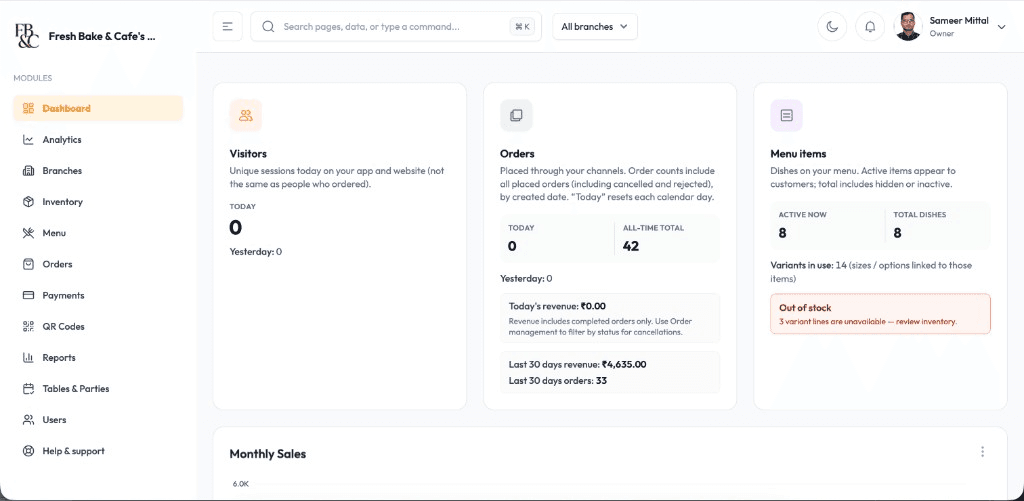
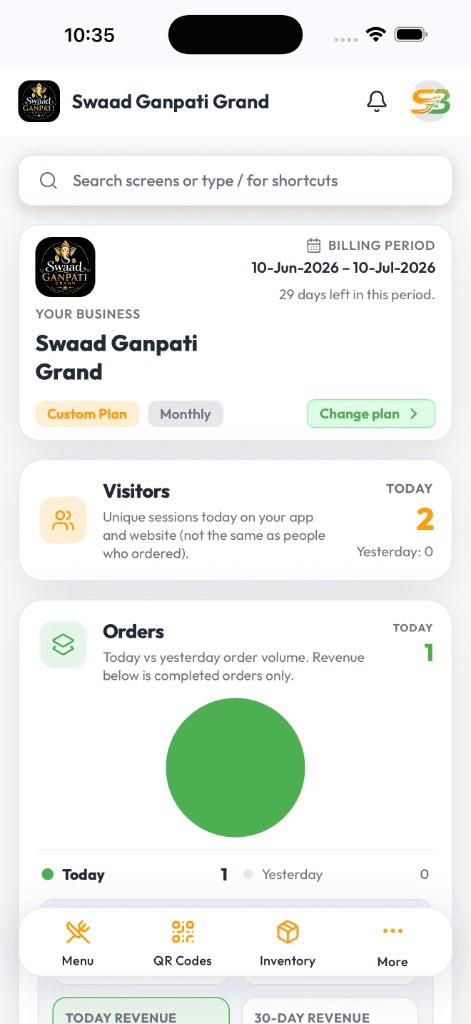
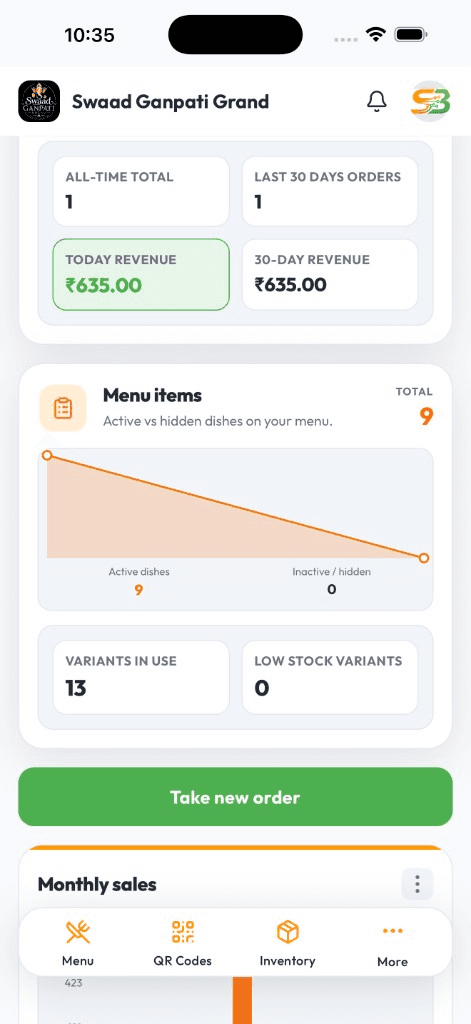
Live DashboardAvailable on Android & iOS
You already have data. You get it too late.
Every bill is a number. If those numbers live only on the till, or in a dump you open on Sunday, you staffed yesterday wrong and prepped the slow dish again. Month-end is an autopsy, not a decision.
SwaadByte reports are the same tickets your team billed — counter, QR, packed. Open Android or iPhone in five minutes. Export PDF or Excel when finance needs a file.
Reports owners actually open
Not a wall of charts. The few views that change tomorrow's prep and roster.
Today and this week on mobile
Orders, revenue, payment modes. Check from the counter or from home.
What the menu actually did
Top sellers and slow movers from live billing — so you cut prep on the dead item.
Busy hours
When the rush really hits. Roster against that, not against a guess.
Outlet vs outlet
If you have branches, compare them in the same week — not after a quarterly review.
Export for the accountant
PDF or Excel when your CA wants a file. You keep the live view on the phone.
Tied to real bills
Counter, QR, and packed orders feed the same reports. No parallel 'estimated' sheet.
From the till
Decisions from tickets, not from memory
A trend you can see today
Sales and item mix on mobile — without stitching three exports.
Fix the shift, not the month
Managers see what needs attention the same day, while they can still change prep.
Plan the next outlet with numbers
Item and outlet views that are honest enough to argue about staffing and pricing.
You already bill every day. SwaadByte makes those bills readable before the next rush.
Start the 15-day trial and bill a few services, or book a demo of the owner views.
For owners who are tired of asking 'how was today?'
Single restaurants, managers who review every shift, and groups comparing doors.
Owners who want today's number without calling the floor
Managers looking at item mix and rush hours before they write the roster
Multi-branch leads who need a comparison that is not a forwarded screenshot
Why owners use SwaadByte for reports
Billing already happens. The report should be a by-product, not a weekend project.
On the phone you already carry
Five minutes between services. No desk required for a useful look.
Same source as the till
If it was billed, it can show up here — including QR and packed tickets.
Trial with your own dishes
15-day free trial. Bill a few days, then open the reports. That is the test.
How reports start meaning something
They get useful as soon as you bill live. The first week is enough to see a pattern.
1
Create your account
Sign up and add the menu so tickets have real items.
2
Bill on the same system
Counter, QR, packed — all of it has to go through SwaadByte or the report is fiction.
3
Build a daily habit
Owners and managers open sales, items, and hours on the phone — export when finance asks.
4
Act on the first week
Change prep or roster from what you see. Support is there if a view is unclear.
No documents. No credit card. Book a demo if you want a walkthrough of the owner views.
Android, iPhone, and Web — same login
Staff bill where service happens. You check numbers where you happen to be. Menu and tickets stay in sync.
Android for floor and counter
Fast cart billing, Bluetooth KOT, and live shift totals on the phones most restaurant staff already carry.
iPhone for owners on the move
Open today's sales, mark an item sold out, or check a payment — from home, another outlet, or the car.
Web when you need a bigger screen
Edit a large menu, compare days, and export a file for your accountant from a desktop browser.
Setup & Support
We help you go live — then stay reachable
Menu import, printer pairing, and staff walkthroughs around your service hours. WhatsApp support when something breaks mid-shift — not a ticket that waits until Monday.
24/7 Technical Setup
Dedicated engineers configure Android, iOS, and Web access with remote troubleshooting around the clock.
Menu Database Migration
Import categories, variants, taxes, and modifiers from spreadsheets or legacy POS exports without manual re-entry.
Printer & Hardware Syncing
Pair Bluetooth KOT printers, receipt printers, and counter hardware with tested workflows before service starts.
Staff Training & Handoff
On-site and virtual training for billing, kitchen tickets, and restaurant reports so every shift runs the same playbook.
Restaurant analytics FAQs
Questions owners ask before they trust a dashboard.
Yes. Sales, items, busy hours, and branch comparison on Android and iPhone. Web if you want a larger screen.
Yes. They follow POS tickets — including QR and packed orders — not a separate guessed sheet.
Yes. Item and category views highlight what moved and what sat.
Yes. PDF or Excel when they need a file.
As soon as you bill live. Daily views are useful in days; month-on-month needs more history.
Yes. 15 days, no credit card. Bill real tickets, then open the reports.
Schedule a Free Demo for Your Restaurant
Share your name and WhatsApp number. We will show weekend-rush ordering, cancellations, and direct-order billing on a sample menu.
If this is close, these pages go deeper
Reports are only as good as the till. These pages cover billing, more than one outlet, and stock.
If tickets are still on a standalone machine, start by billing on SwaadByte.
If you are already evaluating another restaurant POS, these pages explain where SwaadByte fits — and where the other product may be a better match.
SwaadByte vs Petpooja
Compare billing, orders, QR menu, inventory, multi-outlet management, pricing and setup — then decide which platform matches how you actually run the restaurant. This is not a “winner” page. It is a fit check.
Owners still search “Posist.” The product line continues as Restroworks. This page compares a mobile-first self-serve POS with an enterprise restaurant platform that prices after a scoping call.