Fine-Dine Service That Stays in Sync — Floor to Kitchen
Guests order from the table without waving for a card. Kitchen gets a clean ticket. Stewards close the bill on the phone without a queue at the cashier.
Table QR so guests browse while the steward is at another cover
Kitchen tickets that match what was actually ordered — including courses
Room QR for hotels — in-room orders land with the room number attached
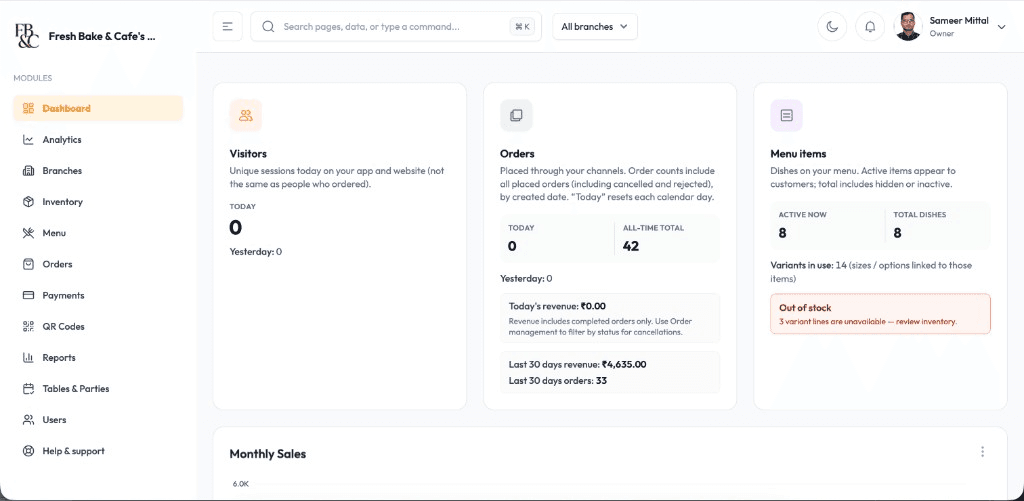
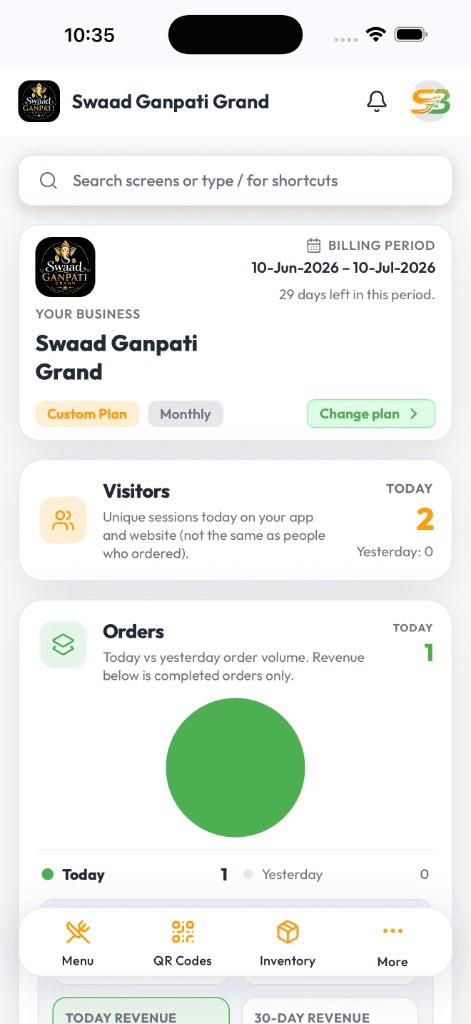
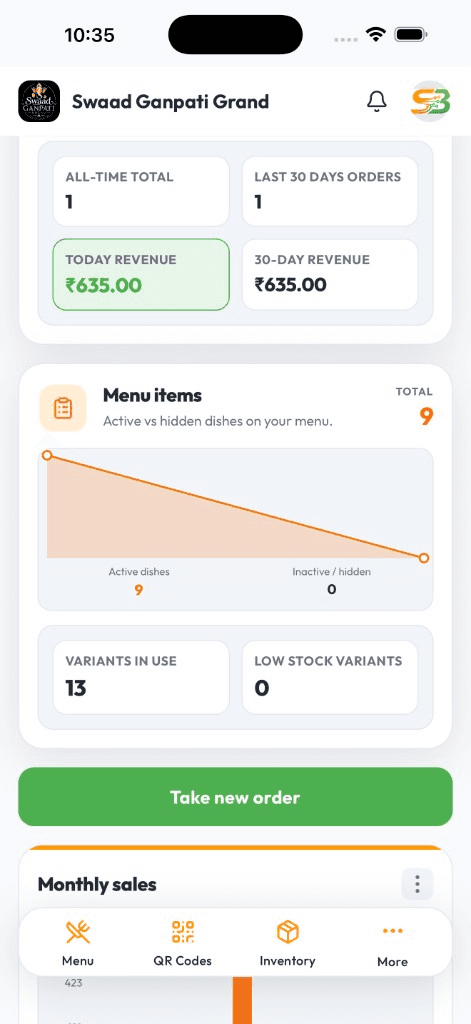
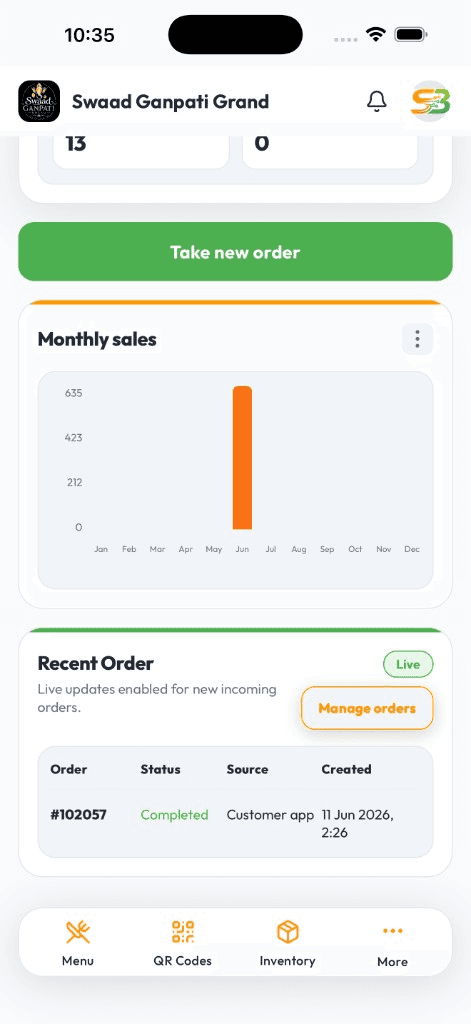
Live DashboardAvailable on Android & iOS
Fine-dine breaks when the floor and the pass lose each other
Premium service is timing. Paper KOT, a separate cashier, and a reservation notebook create wrong courses, delayed starters, and an awkward wait for the bill. Guests feel it even when the food is right.
SwaadByte keeps table QR, steward billing, kitchen tickets, and party bookings in one app. The pass sees the same ticket the floor just took. You review the shift from your phone after the last table leaves.
What a full-service floor actually needs
From seated to settled — without making guests feel like they are in a QSR.
Table QR at the guest's pace
Scan, photo menu, order. Table number rides on the ticket. No guest app to install.
In-room QR for hotels
Room-specific codes. Kitchen sees the room on the ticket — same live board as the restaurant.
Party bookings on mobile
Reservations and party notes in the same app you bill from. Less clipboard at the host stand.
Kitchen tickets with course intent
KOT to printer or digital ticket so the pass is not decoding a steward's handwriting at 8:30pm.
Phone billing and split settle
Stewards close on Android or iPhone — split bills, UPI, modifiers — without marching guests to a cashier desk.
WhatsApp bill after online pay
GST PDF on WhatsApp when they pay online. Settlement feels finished, not like a paper hunt.
Floor to Pass
Composure at every table — even when the room is full
Arrival to settle without the clipboard chase
Bookings, table tickets, and the bill live together so peak covers do not turn into lost chits.
The pass sees what the floor took
Shared live queue. Fewer missed courses when every table wants starters at once.
Shift notes you can open tomorrow
What sold, which covers ran long — on your phone — before you change the next weekend menu.
Fine-dine is judged on timing. SwaadByte keeps stewards, kitchen, and the owner on the same ticket.
Start the 15-day trial, or book a demo for table ordering, room QR, and settlement.
For rooms where the guest should never see the chaos
Standalone fine-dine, hotel dining rooms, and managers who own both the floor and the pass.
Owners who need table service, billing discipline, and a calm close
Hotels running in-room dining on the same kitchen as the restaurant
Managers handling bookings, parties, and a full Saturday night
Why fine-dine teams pick SwaadByte
You want QR that feels like hospitality, not a gimmick — and billing that does not send guests to a counter.
QR that does not cheapen the room
Guests order when they are ready. Stewards still host. Kitchen gets a structured ticket.
One app for floor, kitchen, and owner
Stewards bill on the phone. Kitchen runs KOT. You check the shift after service.
Trial it on a quiet lunch first
15-day free trial, no credit card. Train on a weekday, then take Saturday.
How fine-dine outlets start
Map tables, import the menu, print QR tents, pair KOT printers. We schedule around lunch and dinner.
1
Create your account
Sign up on Android or iPhone. Add the dining room and start the menu.
2
Tables, QR, and KOT
Table and room codes, taxes, payments, Bluetooth kitchen printers.
3
Floor and kitchen practice
Stewards, hosts, and the pass run a few live covers before you invite a full room.
4
Take a controlled service on the trial
Use the 15-day trial. Review the first week's covers, then tighten pacing.
No documents. No credit card. Book a demo if you want a white-glove walkthrough with your floor manager.
Android, iPhone, and Web — same login
Staff bill where service happens. You check numbers where you happen to be. Menu and tickets stay in sync.
Android for floor and counter
Fast cart billing, Bluetooth KOT, and live shift totals on the phones most restaurant staff already carry.
iPhone for owners on the move
Open today's sales, mark an item sold out, or check a payment — from home, another outlet, or the car.
Web when you need a bigger screen
Edit a large menu, compare days, and export a file for your accountant from a desktop browser.
Setup & Support
We help you go live — then stay reachable
Menu import, printer pairing, and staff walkthroughs around your service hours. WhatsApp support when something breaks mid-shift — not a ticket that waits until Monday.
24/7 Technical Setup
Dedicated engineers configure Android, iOS, and Web access with remote troubleshooting around the clock.
Menu Database Migration
Import categories, variants, taxes, and modifiers from spreadsheets or legacy POS exports without manual re-entry.
Printer & Hardware Syncing
Pair Bluetooth KOT printers, receipt printers, and counter hardware with tested workflows before service starts.
Staff Training & Handoff
On-site and virtual training for billing, kitchen tickets, and restaurant reports so every shift runs the same playbook.
Fine-dine restaurant software FAQs
Questions owners ask about table service, room dining, and billing at the table.
Yes. Table QR, steward phone billing, kitchen tickets, and split settlement — not a fast-food till.
Yes. A QR per room. Tickets show the room number on the same board as restaurant tables.
Yes. Floor and kitchen share the live queue, which is when paper KOT usually fails.
Yes. Party reservations live in the same app you bill from.
Yes. Stewards close on Android or iPhone — including split payments.
Yes. 15 days, no credit card. Train on a quiet service before a full Saturday.
Schedule a Free Demo for Your Restaurant
Share your name and WhatsApp number. We will show weekend-rush ordering, cancellations, and direct-order billing on a sample menu.
If this is close, these pages go deeper
Fine-dine is table service first. These pages cover the guest QR itself, everyday restaurant billing, and the numbers after close.
If you mainly want guests to scan and order without reprinting cards, the QR menu page is the focused read.
If you are already evaluating another restaurant POS, these pages explain where SwaadByte fits — and where the other product may be a better match.
SwaadByte vs Petpooja
Compare billing, orders, QR menu, inventory, multi-outlet management, pricing and setup — then decide which platform matches how you actually run the restaurant. This is not a “winner” page. It is a fit check.
Owners still search “Posist.” The product line continues as Restroworks. This page compares a mobile-first self-serve POS with an enterprise restaurant platform that prices after a scoping call.