Cloud Kitchen Software That Keeps Orders, Billing & Inventory in One Place
When the line is plating three brands at once, you need one queue — not three tablets and a spreadsheet after midnight.
Packed, pickup, and your own online tickets on one kitchen board
Brand tags so prep knows which label goes on the box
Stock that drops as tickets fire — useful when two brands share chicken
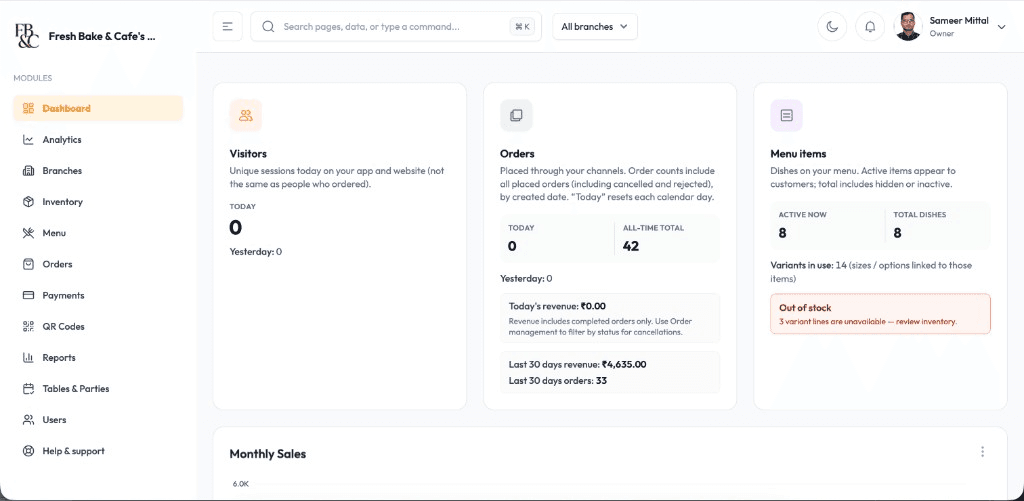
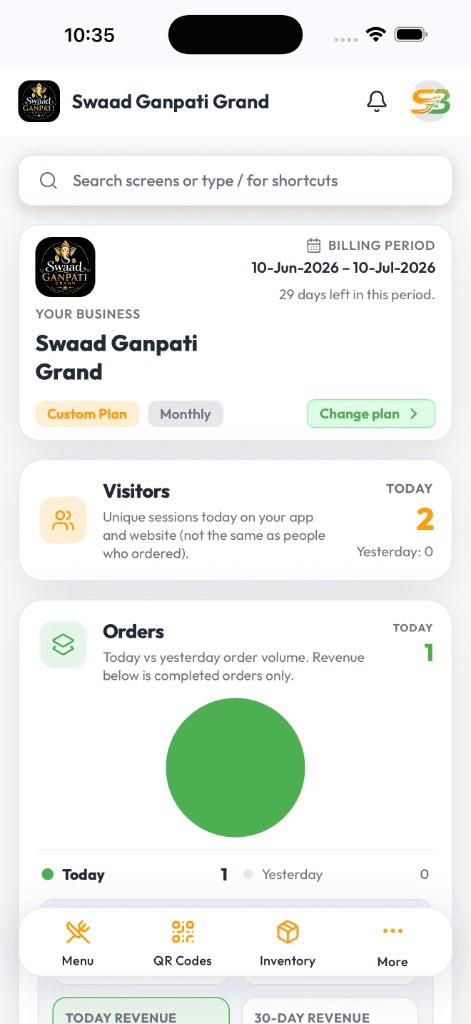
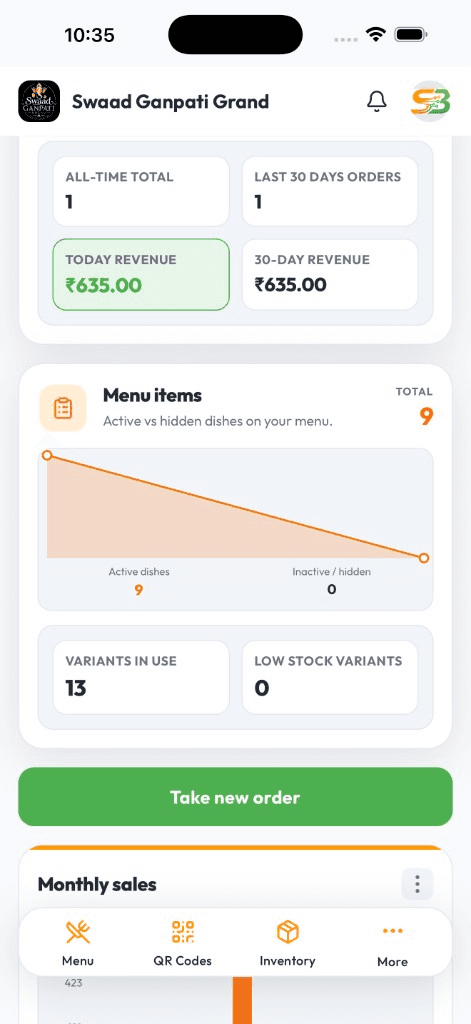
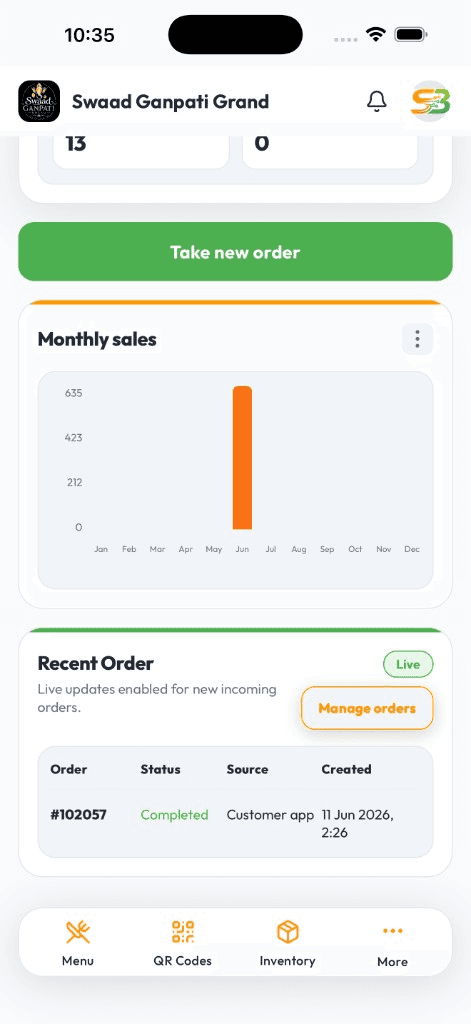
Live DashboardAvailable on Android & iOS
Cloud kitchens do not lose money on food. They lose it on missed tickets.
Dinner rush is a pile of channel tickets, walk-in pickups, and a rider at the door. If each brand lives in a different app, packing is late, the wrong sticker goes on the box, and you only find out which brand lost money when you reconcile at 1am.
SwaadByte puts every ticket on one mobile board — pending to packed — with kitchen tickets and stock tied to what actually left the pass. You compare brands on your phone between lunch and dinner, not from a spreadsheet after close.
Built for a kitchen that never has a dining room
Order in, ticket to the line, pack, hand off, and know which brand paid for the gas bill.
One board, every brand
Counter pickup, QR, and your own online flow land in one queue with brand tags. The line watches one screen.
Kitchen tickets in the rush
KOT to a Bluetooth printer or a digital ticket. Prep and packing see the same status instead of shouting across the pass.
Pending to packed
Track a ticket from received to ready for the rider. Fewer 'where is bag 14' moments at 8:40pm.
Shared stock across brands
When two virtual brands use the same prep, stock follows the ticket. You see a low item before the dinner wave, not after.
Brand-wise sales on your phone
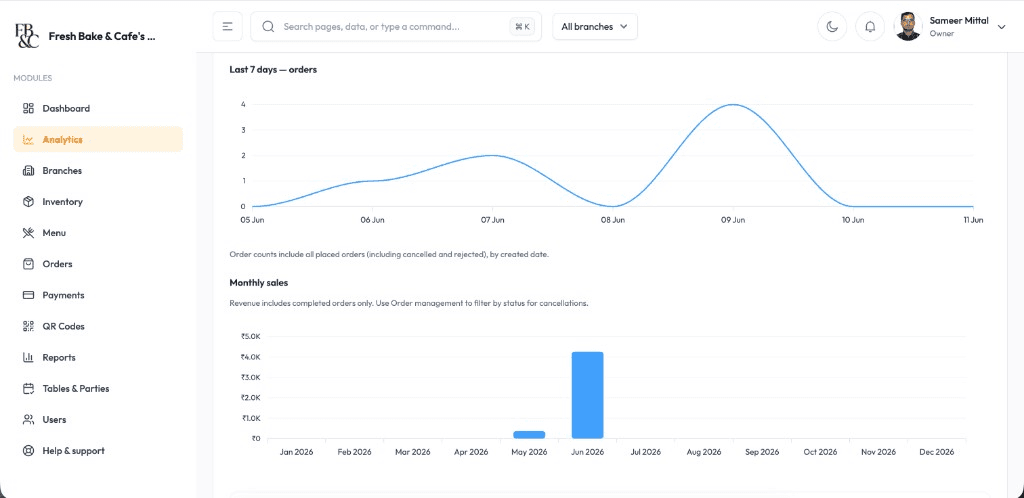
Compare revenue and top items by brand. Decide which menu deserves ads before you spend another rupee on marketing.
Walk-in pickup on the same POS
Bill a customer at the window without a second till. Cash and UPI sit next to packed tickets.
Kitchen Rush
Keep the pass moving when three brands hit at once
Fewer missed packed orders
One queue with live status beats three aggregator screens plus a notebook for walk-ins.
Handoff the rider can trust
Packed status is visible. Dispatch is not guessing which bag is ready.
Brand numbers before you scale ads
See which virtual brand actually contributed — on Android or iPhone — before you pour budget into the quiet one.
Cloud kitchens win on ticket accuracy. SwaadByte gives production, packing, and the owner one view so brands do not steal tickets from each other.
Start the 15-day trial, or book a demo and we will walk orders, KOT, and brand reports on a sample kitchen.
For kitchens that live on delivery and pickup
Multi-brand production kitchens, dark kitchens with a pickup window, and owners who cannot stand on the pass all night.
Operators running more than one brand from a shared line
Teams that miss tickets when aggregator apps and walk-ins peak together
Owners who want brand-wise numbers on the phone before they buy more ads
Why cloud kitchen operators try SwaadByte
You already have aggregator tablets. You need a kitchen system that does not add a fourth screen.
One queue during the dinner wave
Pickup, QR, and your own online tickets in one board. The line stops guessing which device is truth.
Stock that matches the pass
Shared ingredients across brands need a number, not a guess. Low-stock alerts on your phone.
Trial it on a real dinner, not a slide deck
15-day free trial, no credit card. Run a Friday night. Then decide.
How cloud kitchens start
Add brands and menus, set the ticket flow from received to packed, pair a KOT printer if you use one. We can schedule this around production hours.
1
Create your account
Sign up on Android or iPhone. Add the kitchen and the brands you cook under.
2
Menus, taxes, and ticket flow
Configure brand menus, GST, payments, and KOT. Decide how packing updates status.
3
Train the line and packing
Prep, packing, and the window practice the live board on a quiet hour first.
4
Run a controlled dinner on the trial
Use the 15-day trial through a real peak. Review brand numbers the next morning.
No documents. No credit card. Book a demo if you want to see a multi-brand board before you touch a live kitchen.
Android, iPhone, and Web — same login
Staff bill where service happens. You check numbers where you happen to be. Menu and tickets stay in sync.
Android for floor and counter
Fast cart billing, Bluetooth KOT, and live shift totals on the phones most restaurant staff already carry.
iPhone for owners on the move
Open today's sales, mark an item sold out, or check a payment — from home, another outlet, or the car.
Web when you need a bigger screen
Edit a large menu, compare days, and export a file for your accountant from a desktop browser.
Setup & Support
We help you go live — then stay reachable
Menu import, printer pairing, and staff walkthroughs around your service hours. WhatsApp support when something breaks mid-shift — not a ticket that waits until Monday.
24/7 Technical Setup
Dedicated engineers configure Android, iOS, and Web access with remote troubleshooting around the clock.
Menu Database Migration
Import categories, variants, taxes, and modifiers from spreadsheets or legacy POS exports without manual re-entry.
Printer & Hardware Syncing
Pair Bluetooth KOT printers, receipt printers, and counter hardware with tested workflows before service starts.
Staff Training & Handoff
On-site and virtual training for billing, kitchen tickets, and restaurant reports so every shift runs the same playbook.
Cloud kitchen software FAQs
Questions operators ask before they put another system on the pass.
It is the system the production kitchen uses to take tickets, cook, pack, and bill — usually without a dining room. SwaadByte puts those tickets, stock, and brand sales in one mobile app.
Yes. Packed and pickup tickets sit on the same live board as any walk-in billing, with status from received to ready.
Yes. Brand-tagged tickets and brand-wise reports from the same app — built for a shared line, not separate logins per brand.
Yes. Stock follows tickets, which matters when brands share prep. Low items show on your phone.
Yes. Owners and kitchen leads use Android and iPhone. Web is there if you want a bigger screen for menus and exports.
Yes. 15-day free trial, no credit card. Run a real service window first.
Schedule a Free Demo for Your Restaurant
Share your name and WhatsApp number. We will show weekend-rush ordering, cancellations, and direct-order billing on a sample menu.
If this is close, these pages go deeper
A kitchen board is the start. These pages cover stock, owner numbers, and billing for packed orders.
If two brands share chicken and you only find out at 9pm, stock that follows the ticket is the next read.
If you are already evaluating another restaurant POS, these pages explain where SwaadByte fits — and where the other product may be a better match.
SwaadByte vs UrbanPiper
These products often appear in the same Google search and do different jobs. SwaadByte is a mobile restaurant POS with own-channel QR ordering, billing, and table bookings. UrbanPiper’s public Hub product connects an existing POS to delivery aggregators; Meraki adds a branded direct-order site or app. Read this page as a fit check, not a ranking.
Rista and SwaadByte both talk to owners who do not want a dusty Windows counter as the only option. The split is public pricing and trial versus a demo-led suite with aggregator and offline depth Rista documents on ristaapps.com.
Compare billing, orders, QR menu, inventory, multi-outlet management, pricing and setup — then decide which platform matches how you actually run the restaurant. This is not a “winner” page. It is a fit check.