Best QR Code Ordering System for Cafes: Counter Speed, Table Scans, and Honest Pastry Stock
A cafe QR code that only opens a PDF is not an ordering system. It is a digital pamphlet. The best QR ordering system for cafes lets a guest at a two-top scan, pick a size and extra shot, pay or send the ticket, and have that order land in the same queue as the takeaway line at the counter. If your barista is still retyping a table order from a phone screenshot, you bought a QR sticker, not a system.
This page compares what actually matters for coffee bars, bakeries with seats, and cafe-plus-all-day kitchens: speed at the till, table QR that does not fight the counter, pastry sold-outs that update before someone bills an empty tray, and a bill the guest can get on WhatsApp after UPI. You will also see why 'best' is not the vendor with the flashiest menu animation — it is the one your morning crew will still use at 8:40am when the queue is out the door.
Use this when a vendor says 'we have QR'. Ask where the ticket goes, and what happens when the almond croissant is gone.
Capability
PDF / photo QR
QR-only ordering app
SwaadByte QR + cafe POS
Guest orders from the phone
Recommended
No — they still queue or wave
Yes, if they finish checkout
Yes — ticket includes table or pickup
Same queue as counter
No
Often a second tablet
One live board
Sold-out pastry updates
Recommended
Reprint or ignore
Maybe, if staff remember two systems
Hide once; till and QR both stop
Owner sees the morning after rush
Guess from cash
QR app report only
Drinks, pastries, hours on the phone
SwaadByte is built as scan-to-order plus cafe billing, not a brochure QR. Confirm on a live demo with your SKUs.
What 'best' means for a cafe — small tickets, high frequency
Cafe tickets are small and fast. A system designed for banquet halls will bury a cortado under course firing and steward modes. The best cafe QR ordering system treats repeat drinks, sizes, dairy alternatives, and pastry SKUs as first-class: saved favourites, modifiers in two taps, and a guest scan that does not require an app download. Measure success as seconds at the till and seconds from scan to ticket — not as a 40-page feature list. If the morning crew needs a week of training, guests will keep shouting orders over the pastry case.
Table QR should help the queue, not create a second one
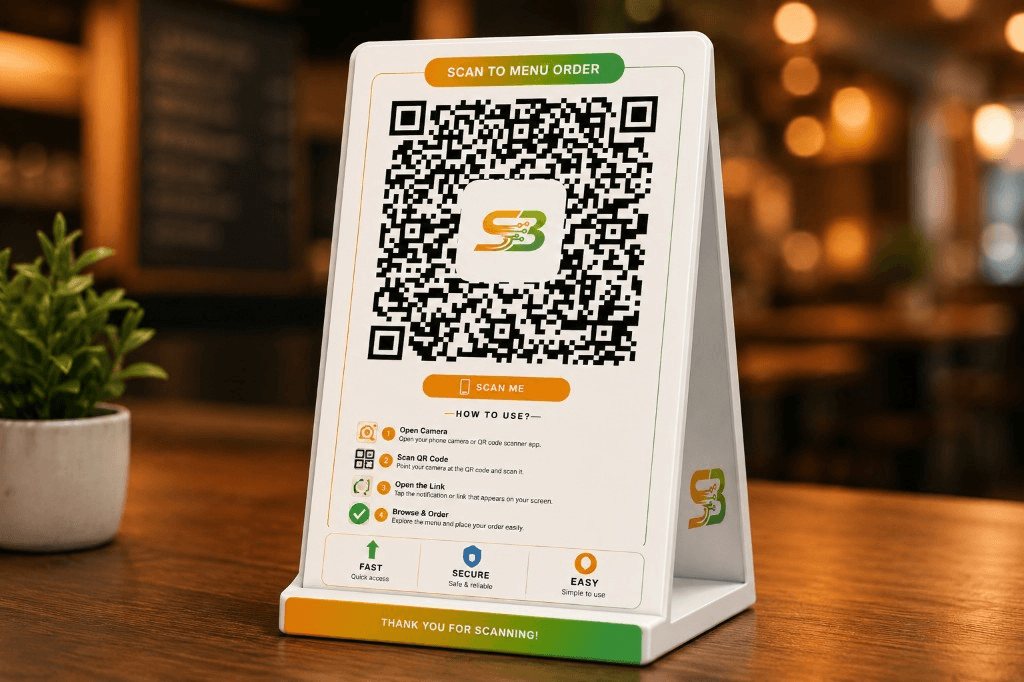
Seated guests who scan and order free the counter for takeaway. That only works if the barista sees table tickets with a table number in the same stream as name-on-cup walk-ins. A QR that WhatsApps the owner, who then yells at the bar, is slower than a waiter. SwaadByte’s QR digital menu is built so camera-scan opens the live catalogue — photos, variants, GST — and the ticket joins counter billing. No guest app. No duplicate menu. When oat milk is out, hide it once; table and till both stop selling it.
Pastry and bakery SKUs die when stock is a notebook
Bakeries attached to cafes lose money two ways: selling a danish that is gone, and baking 40 of something that died at 11am yesterday. QR ordering without inventory still lets a guest tap an empty tray. Link items to stock, mark sold-out in seconds, and review what moved after the morning rush from a phone — not from a till roll at close. That is why cafe and bakery POS and QR belong in one product. A pretty scan page that cannot 86 a croissant is a liability by 9:15am.
Payments: UPI at the table, UPI at the counter, one close
Guests will abandon a QR flow that dumps them into a confusing payment page or asks them to install a wallet they do not have. Keep checkout familiar: UPI, and a path to pay at the counter if they prefer. After online pay, a GST PDF on WhatsApp beats a thermal slip that curls in a tote bag. Staff still need cash for the regular who pays with a 500. The till and the QR should close into the same day’s numbers so you are not reconciling two apps after close.
Weekend brunch is a different animal than Monday 8am
Brunch tables linger; weekday coffee does not. Your QR system should handle both: lingerers add a second pastry without flagging a waiter, while the weekday queue still needs a counter that can fire ten tickets a minute. If QR is only 'for tables' and the counter is a different vendor, brunch Saturday will desync the kitchen. One menu, one tax setup, one board. Train the floor to invite a scan when the waiter is buried, and to take the order themselves when a guest clearly does not want a phone in their face.
How SwaadByte compares to QR-only menu apps
QR-only tools often stop at a pretty catalogue. Billing, KOT, and stock live elsewhere — which is exactly when the croissant gets billed twice. SwaadByte puts QR ordering, cafe POS, inventory, and owner reports in one login on Android, iOS, and web. You can still print a table tent. Guests still use the camera. The difference is the ticket is real. Look at the QR digital menu product page and the cafe POS page together; they are the same platform, not two vendors you have to tape together.
Rollout that survives the morning crew
Print tents, stick one QR per table, keep a counter QR for browse-before-order if you want. Spend one quiet afternoon adding photos for the 30 SKUs that make 80% of sales — not the entire seasonal board. Pair a Bluetooth printer if the bar needs paper. Then run a real Thursday, not a demo on Sunday night. If something fails, it should fail while you can still shout the order. The 15-day trial exists for that, not for watching a recorded webinar.
Pricing and next step without a hardware hostage situation
You should not need to buy a tower PC to let a guest scan a croissant. Check public pricing, start the trial, or book a demo that bills a sample cafe menu — drink, extra, pastry — on a phone. If the demo cannot do that in under a minute, keep shopping. The best QR ordering system for your cafe is the one your 8am barista will still be using in August.
Must-haves in a cafe QR system
No guest app — camera scan to browser menu
Sizes, extras, and sold-out flags that match the till
Table number on the same board as counter tickets
UPI plus WhatsApp PDF after online pay
Red flags when you evaluate vendors
PDF or image-only 'menu' with no ticket into kitchen
Separate QR vendor and POS that do not share stock
Training that assumes a hotel steward team
Hardware lock-in before you have run a live morning
Start with the product pages that match this guide
Book a free demo with your menu, or start setup and try billing, stock, or QR ordering on your own tables.
Key takeaways
A QR that only opens a PDF is not an ordering system.
Table scans and counter walk-ins must share one ticket board.
Pastry sold-outs have to hit QR and till together or you will bill empty trays.
Train on a live morning, not a Sunday demo with no queue.
Best-fit is a cafe-speed POS with QR — not a hotel system with a sticker.
Quick checklist for your outlet
1Time how long a seated guest waits to place a drink order today.
2Count how often you sell a pastry that is already gone.
3Ask any QR vendor where the ticket prints or appears for the barista.
4List your top 30 SKUs and photograph those first.
5Confirm UPI and a WhatsApp bill path before you print 40 tents.
6Run one paid morning on a trial before you commit to a plan.
Questions owners ask us
Answers we hear often from cafe and restaurant owners evaluating billing, stock, or QR ordering.
The one that turns a camera scan into a real kitchen or bar ticket, shares the queue with counter billing, updates sold-outs, and closes UPI without a desktop. SwaadByte is built for that cafe pace. Fancy animations do not pour the flat white.
They should not. Scan with the phone camera, browse photos and sizes in the browser, order, and pay. App downloads kill conversion at a two-top that just wanted coffee.
Yes. High SKU counts need sold-out control more than cafes do. Use the cafes and bakeries solution page plus QR ordering so trays and tickets stay honest.
The QR digital menu page is the product lander for scan-to-order across restaurants and hotels. This guide is the cafe-specific buying checklist: counter speed, pastry stock, and brunch vs weekday behaviour.
No. Counter billing still matters for the takeaway queue. QR removes table waiting and duplicate writing. You still want a human at the pastry case for the guest who points and says 'that one'.
Open the pricing page for current plans. Start a 15-day trial or book a demo if you want us to bill a sample cafe menu live.
Book a Cafe QR Demo
Tell us whether you are counter-only, a few tables, or a bakery with seats. We will show the matching SwaadByte flow.
Built for every food business format
Whether you run a cafe, bakery, cloud kitchen, fine-dine outlet, food truck, hotel, or dhaba, these workflows are designed to improve speed, control, and guest experience.